
Bulk tracked returns label and single order return label
Overview
This article explains how to generate tracked return labels in StoreFeeder, both for individual orders and in bulk. This feature requires an active Royal Mail courier configured in StoreFeeder. Contact Support to have it enabled on your account.
Single Order Returns
To generate a return label for a single order, you would head over to the order and go to the Order Shipping section. The page will provide an option to print returns labels, that would be associated with that specific order. It would also show the order number and the address of the person returning the order. 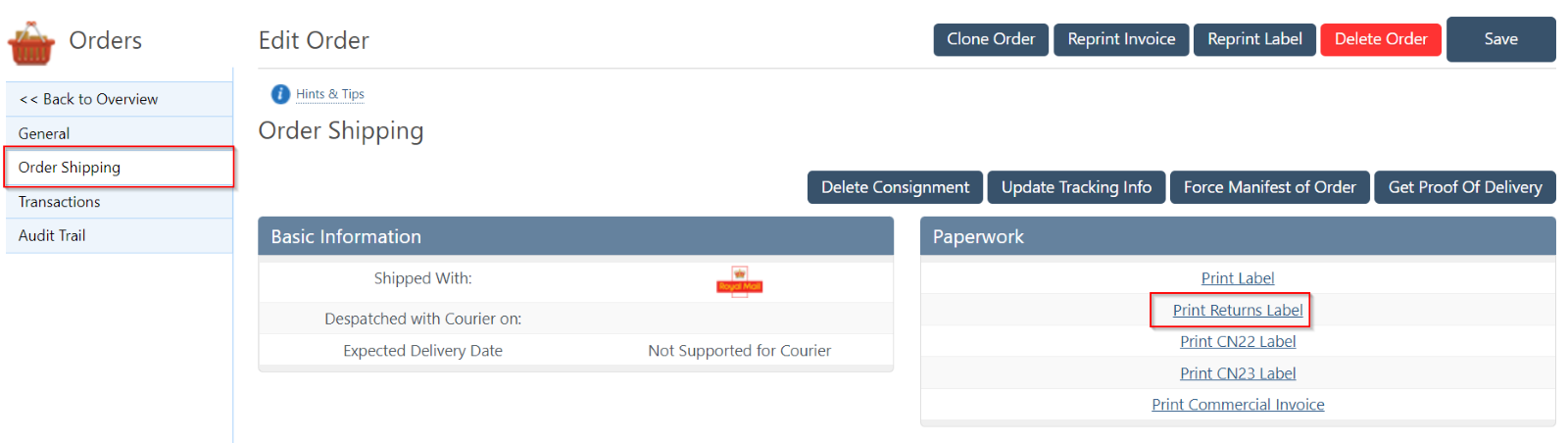
Bulk Tracked Returns
Using this method means you can generate multiple returns labels that aren’t associated with the order or have any order details on the label. This is useful when you want to create a returns label and put it into the parcels to ship them in bulk.
The First thing to do is to head to the bulk tracked returns page, you can find it by hovering over the orders menu option -> Bulk Tracked Returns.
The returns label will use either the warehouse address or the company address identity. You are also able to select the shipping method and how many labels you would like to generate. 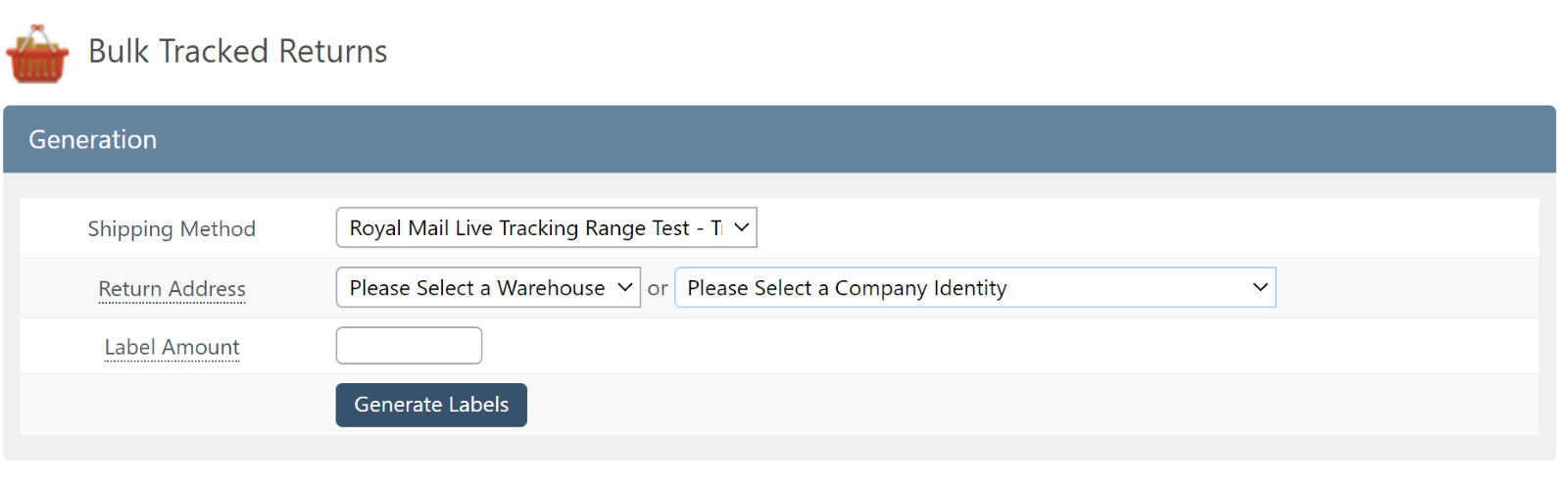
Was this helpful?
Your feedback shapes what we write next.